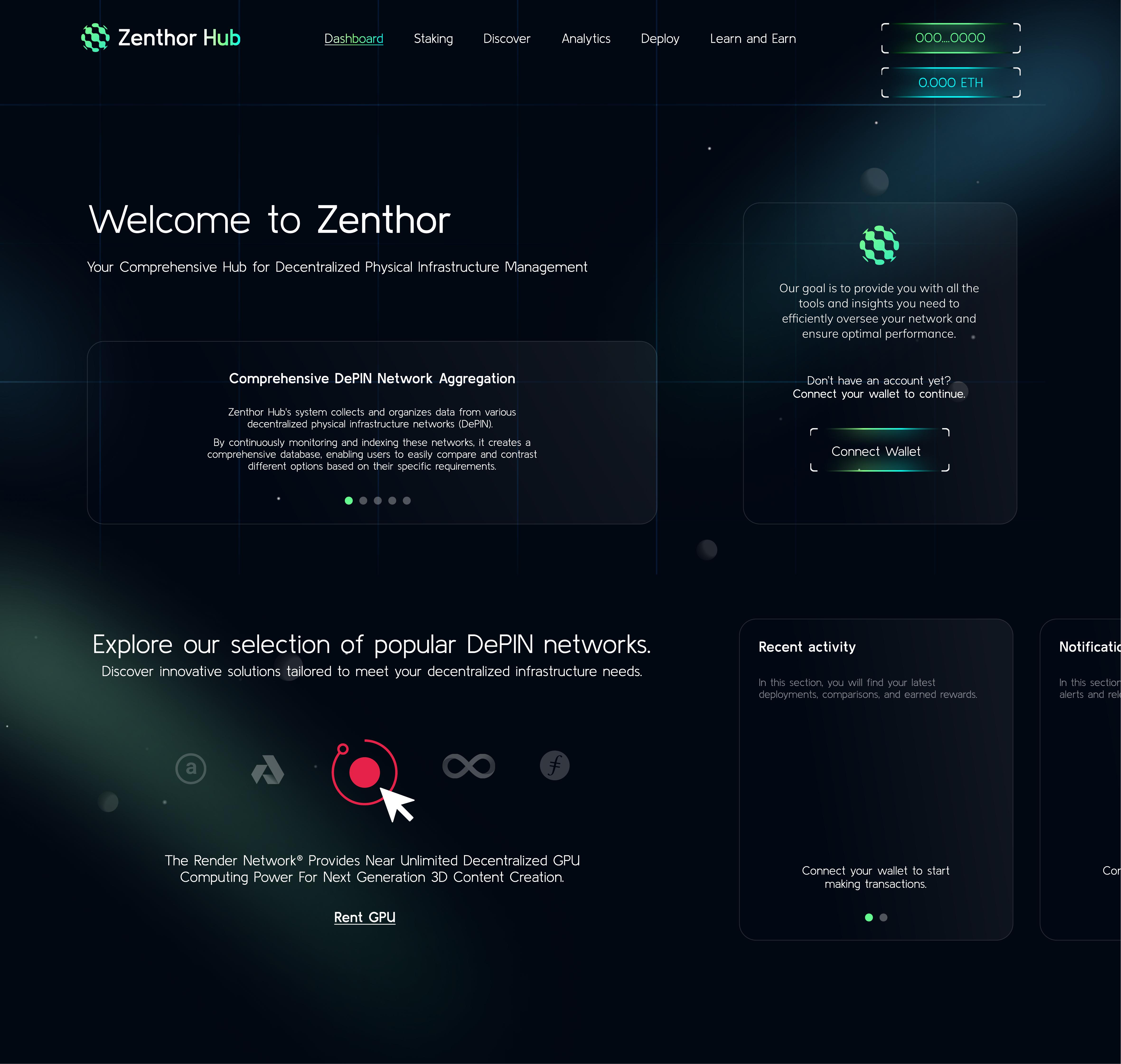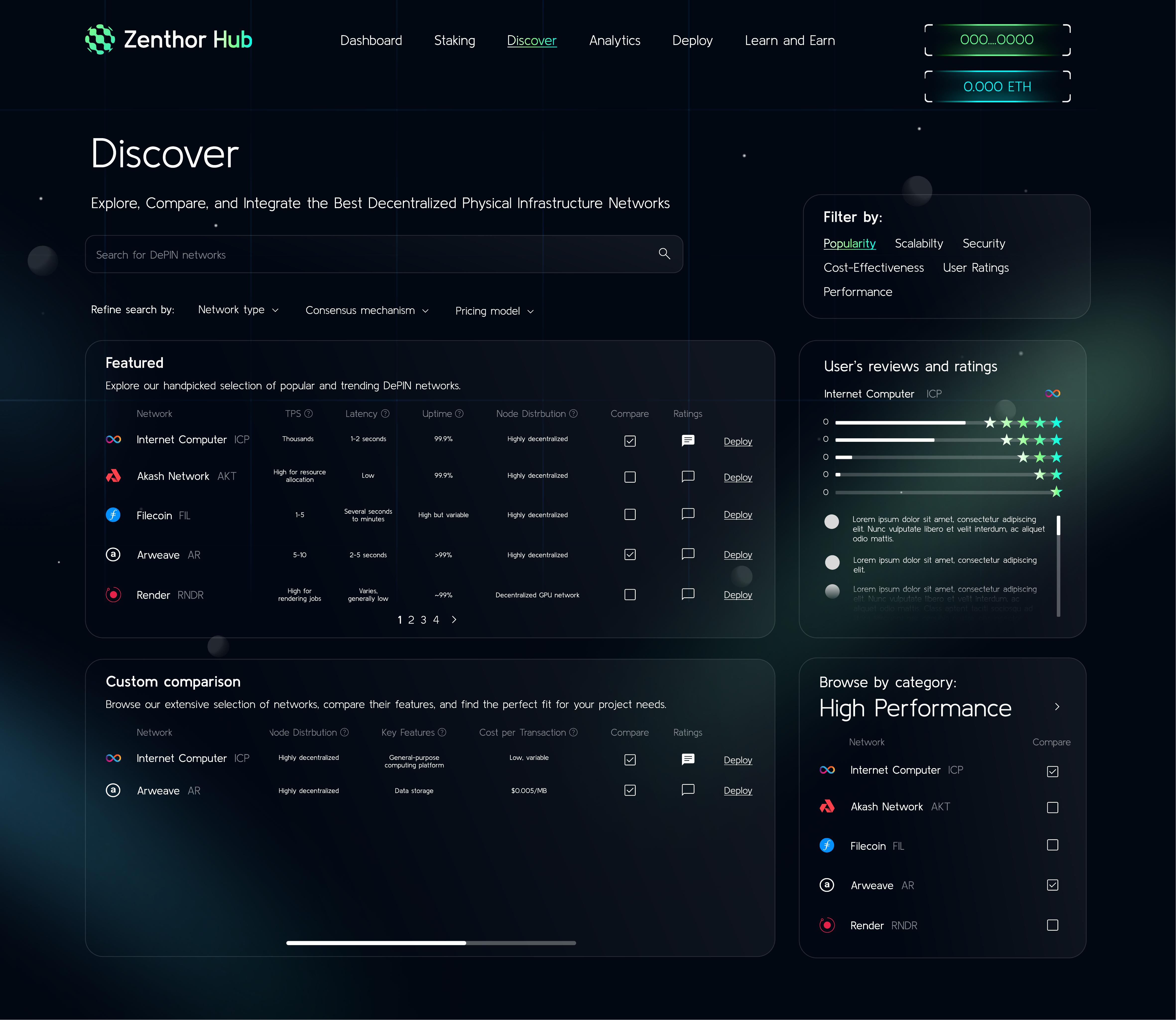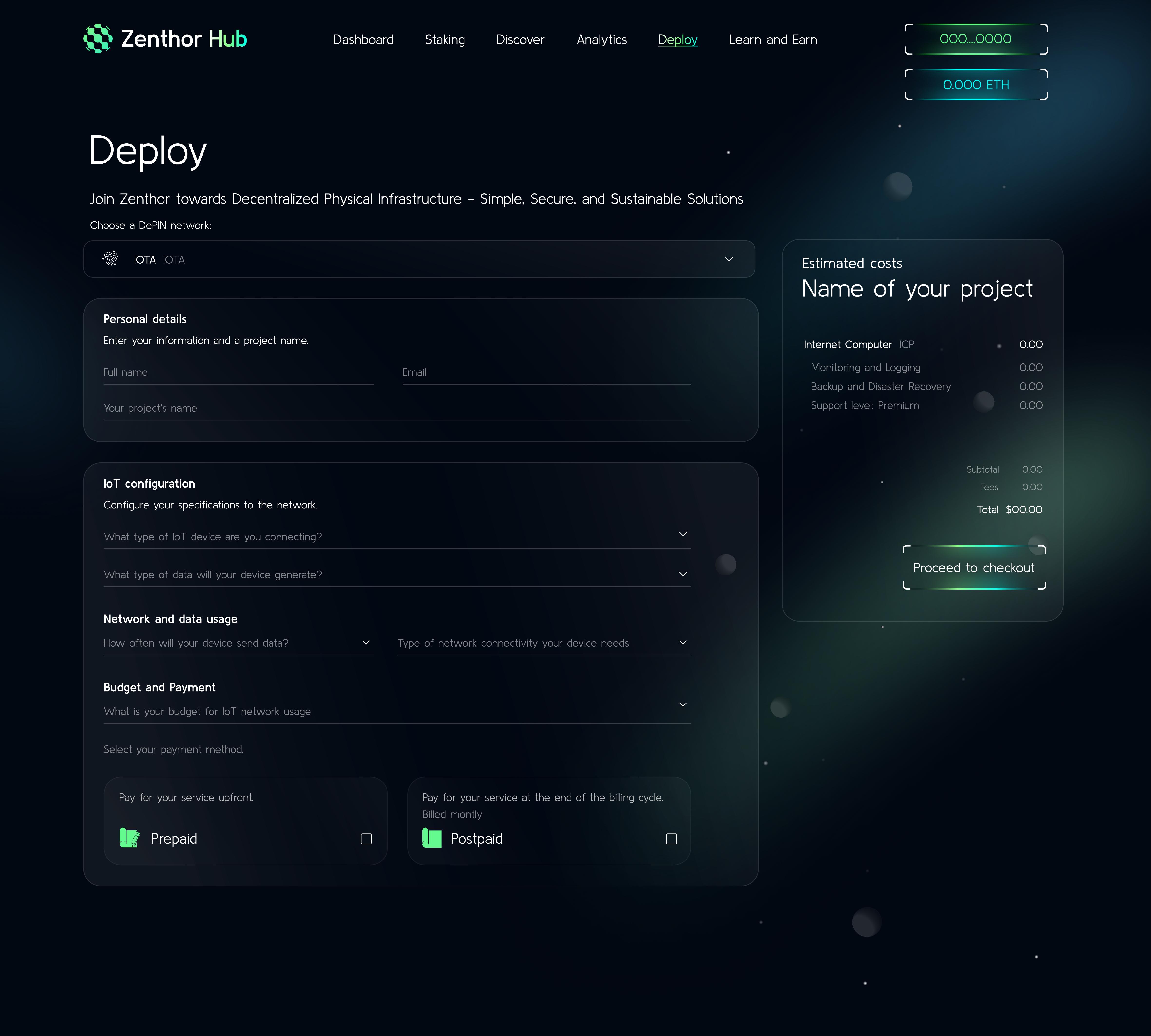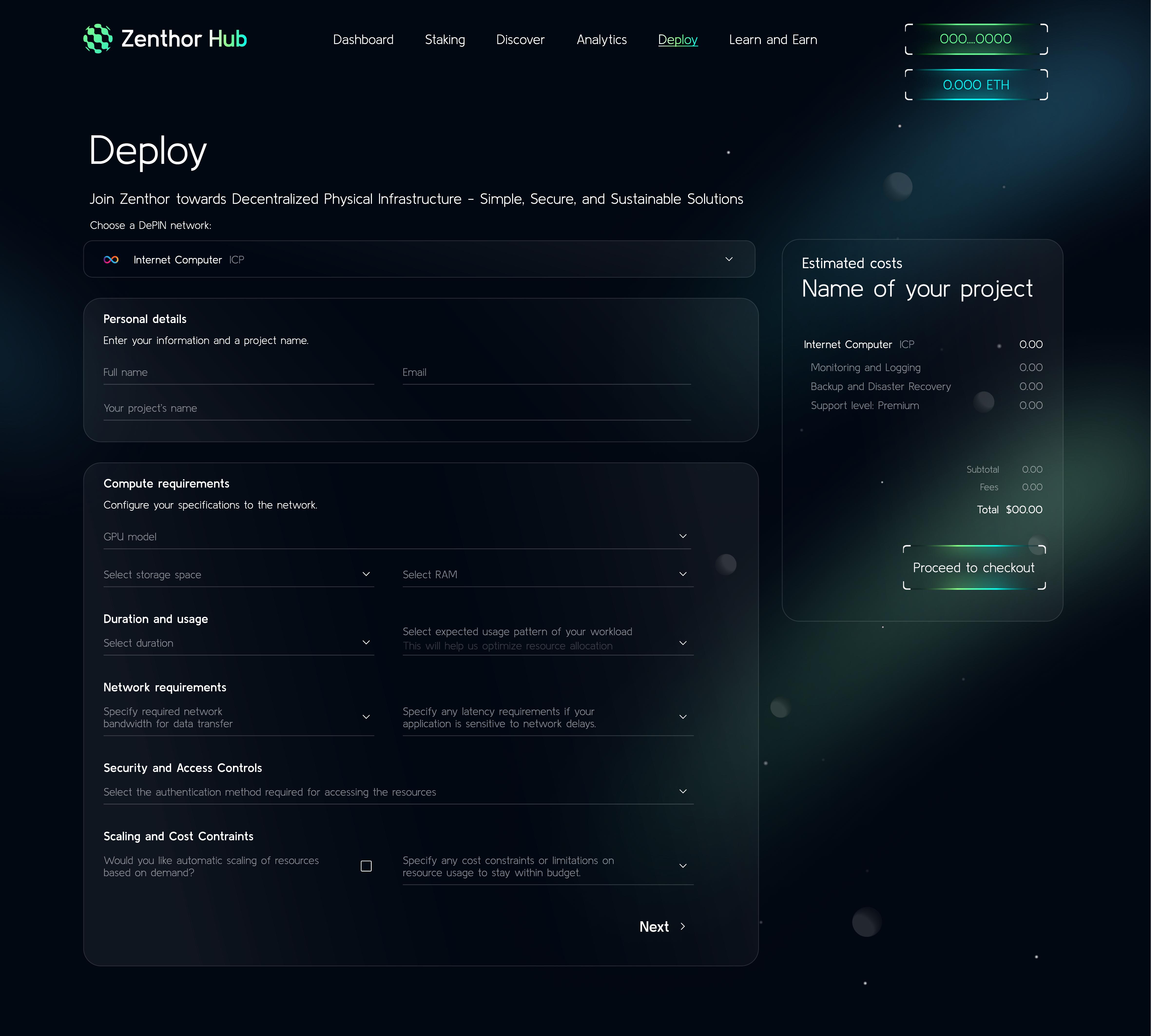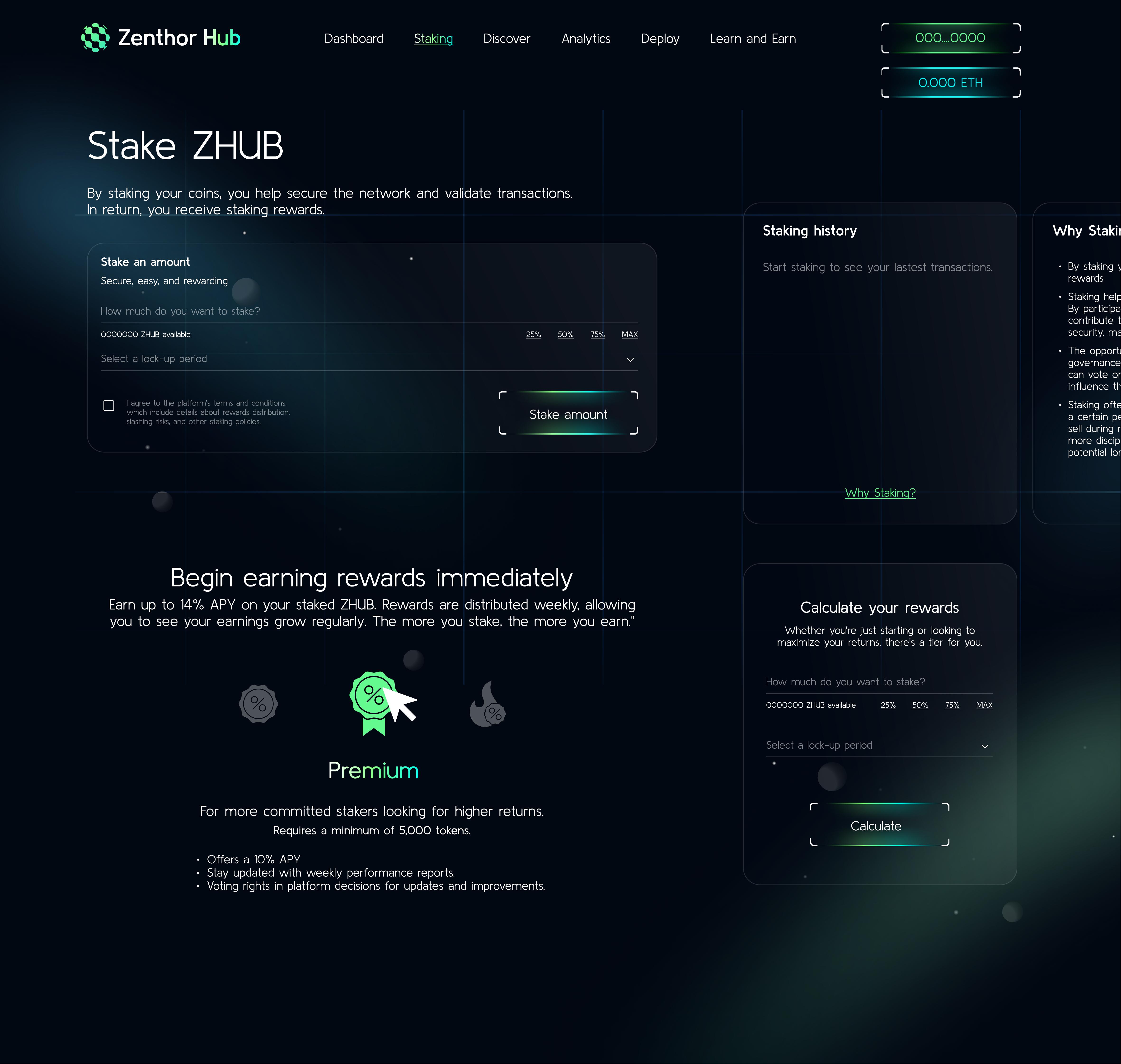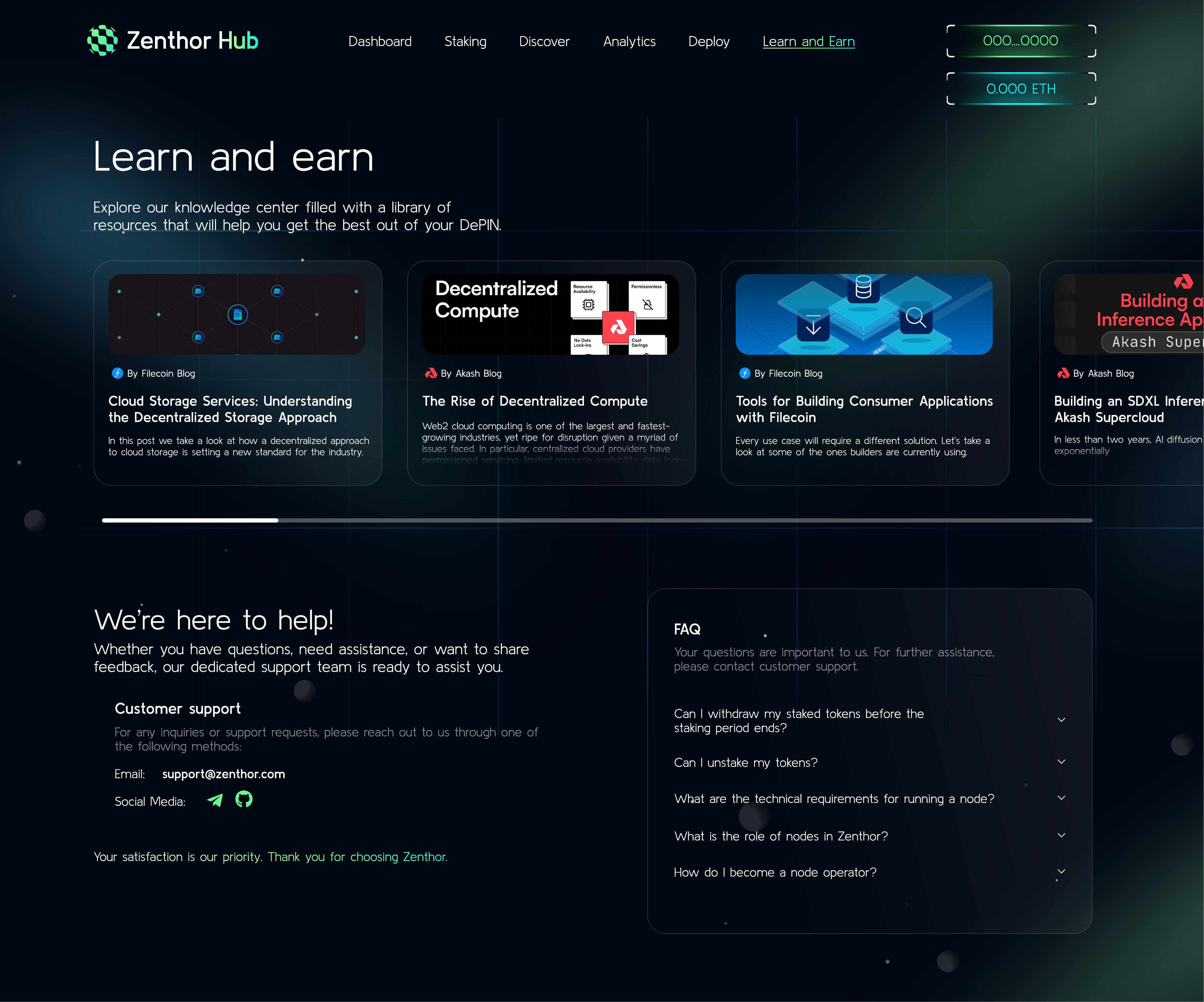
ZenthorHub is a management platform for Decentralised Physical Infrastructure Networks (DePIN), the emerging layer of blockchain-powered services covering compute, storage, energy, and connectivity. Users need to discover networks, compare options, deploy infrastructure, stake tokens, and learn, all from a single interface.
The design challenge was scope. This isn't one product, it's an ecosystem. Each DePIN network has different configuration requirements (IoT devices vs. GPU compute vs. energy vs. storage), and the platform needed to handle all of them without creating a separate flow for each. The interface needed one visual system that worked for the dashboard, the discovery page, and every deploy flow.
The design system and screens shipped as the live ZenthorHub product.
The visual system
ZenthorHub sits in the Web3 space, where dark interfaces are the default. The design moves past flat dark mode with glass-morphism panels, gradient borders, and floating particle elements that add depth without crowding the data.
Dark with depth. The background runs deep navy-to-charcoal gradients rather than flat black. Cards and panels float above the surface with translucent borders and soft glows, so hierarchy reads without heavy shadows.
Green as the accent. A green-to-teal gradient carries the primary accent across active navigation, CTAs, wallet connection indicators, and data highlights. Green codes growth, which is how the DePIN category sells itself.