Designing a Platform for Quantum Computing

Full application design for NodeTensor — a platform for accessing and managing quantum compute resources

NodeTensor is a decentralised gateway to blockchain-powered quantum computing. The platform lets researchers and developers browse quantum processors, rent compute time, and manage their usage — all through a web interface. They needed a complete application design that made deeply technical infrastructure feel approachable.

The challenge was twofold: the subject matter is inherently complex (qubits, error rates, calibration data), and the target audience ranges from PhD researchers to business users exploring quantum for the first time. The design needed to serve both without dumbing anything down.

15 screens designed Covering authentication, onboarding, dashboard, resource management, pricing, and profile — across light and dark themes

Setting the visual identity

The visual language draws from the intersection of technology and precision. A monospace typeface anchors the interface in the technical world without feeling cold. The colour palette is restrained — mostly black, white, and grey — with blue as the single accent colour for interactive elements and key data points.

Pixelated block patterns. The most distinctive design element is the scattered pixel-block motif that appears across backgrounds and transitions. These aren't decorative — they reference the discrete, quantised nature of quantum computing itself. Blocks appear in blue and black, sometimes sparse, sometimes dense, adapting to each screen's context.

Dual themes. The login and onboarding flows were designed in both light and dark variants. The light theme uses a clean grey background with subtle block accents. The dark variant inverts this with a bold blue pixelated background, giving the platform a more immersive, technical feel. Both were delivered so the client could test which resonated better with their audience.
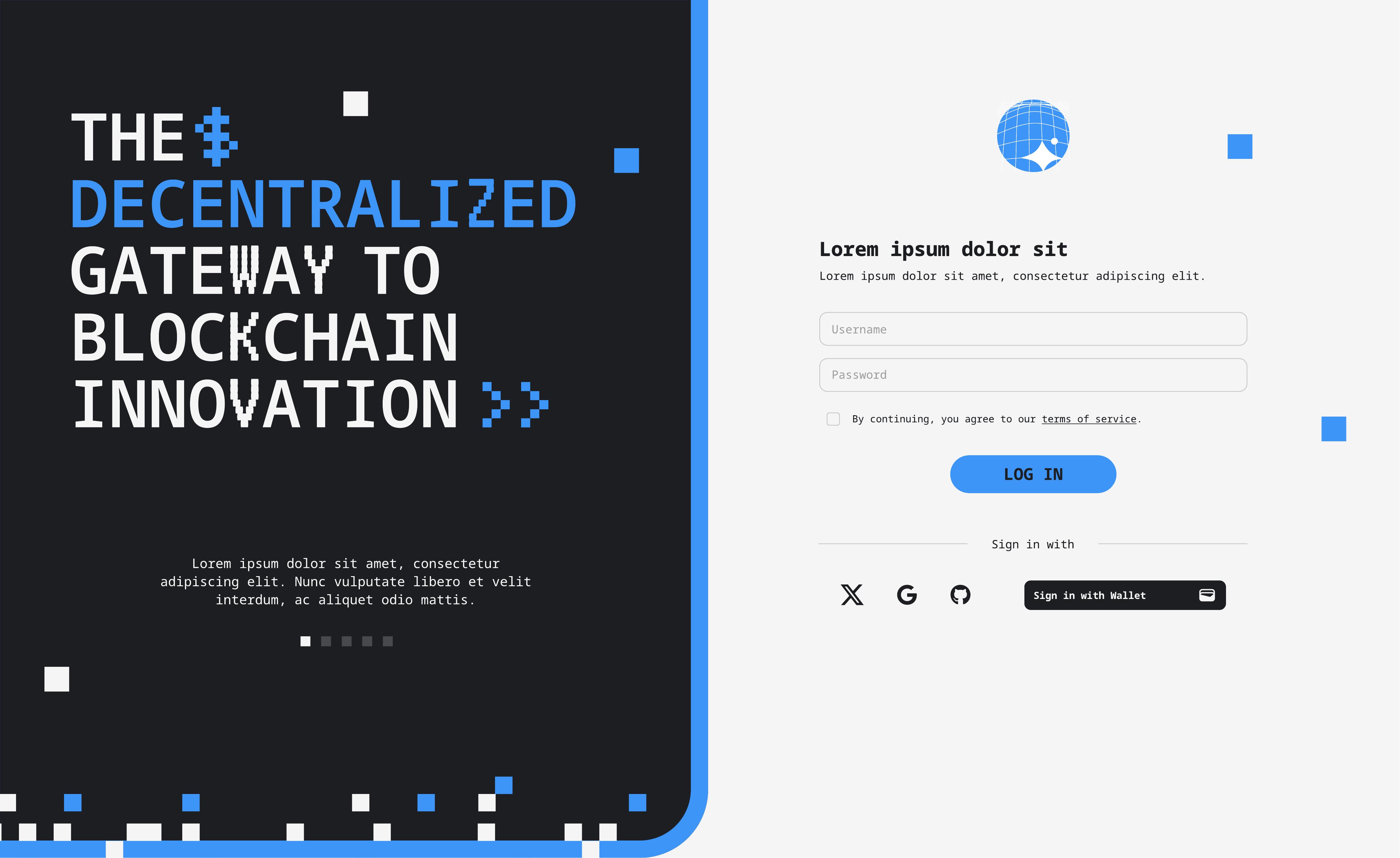
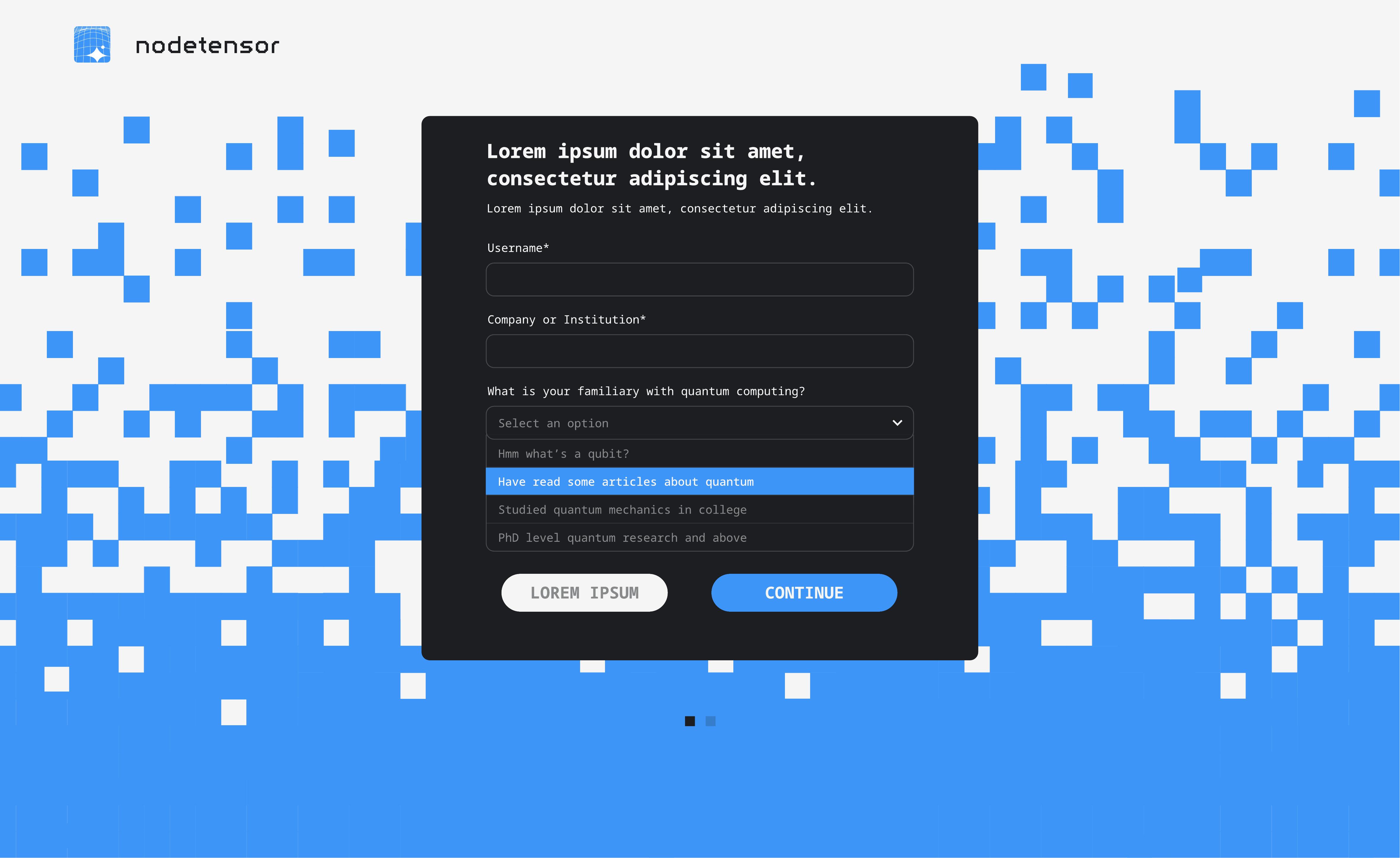
NodeTensor login screen — split layout with dark blockchain branding on the left and clean login form on the right NodeTensor registration form — dark variant with blue pixelated background and quantum computing familiarity dropdown

Authentication and onboarding

The login screen uses a split layout — the left panel introduces the brand with bold typography ("The Decentralised Gateway to Blockchain Innovation") over a dark background with scattered pixel blocks, while the right panel provides a clean, distraction-free login form with social sign-in options and wallet connection.

The registration flow asks users about their familiarity with quantum computing — from "Hmm, what's a qubit?" through to "PhD level quantum research" — allowing the platform to tailor the experience from the first interaction. This small UX decision bridges the gap between expert and novice users without creating separate flows.

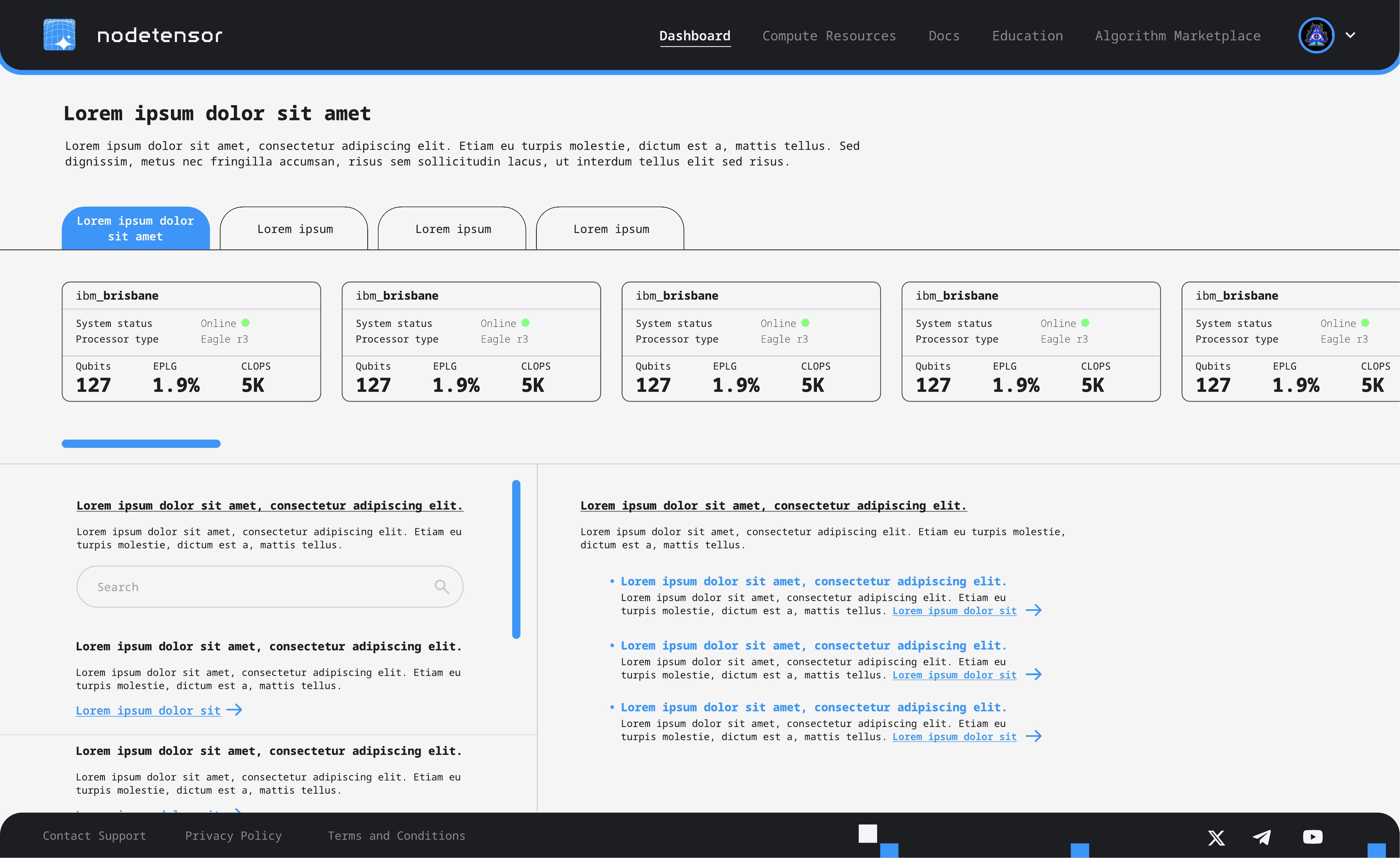
NodeTensor dashboard showing quantum computer status cards with qubits, EPLG, and CLOPS metrics, tabbed navigation, and resource documentation

The dashboard

The main dashboard surfaces what matters immediately: a horizontal scroll of quantum processor cards showing system status, processor type, qubit count, EPLG (error per layered gate), and CLOPS (circuit layer operations per second). Each card gives researchers enough information to choose a machine without clicking through.

Below the cards, tabbed navigation separates documentation and resource links, keeping the interface clean while making deep technical content accessible. The top navigation spans Dashboard, Compute Resources, Docs, Education, and Algorithm Marketplace — structuring the entire platform around the user's journey from learning to deploying.

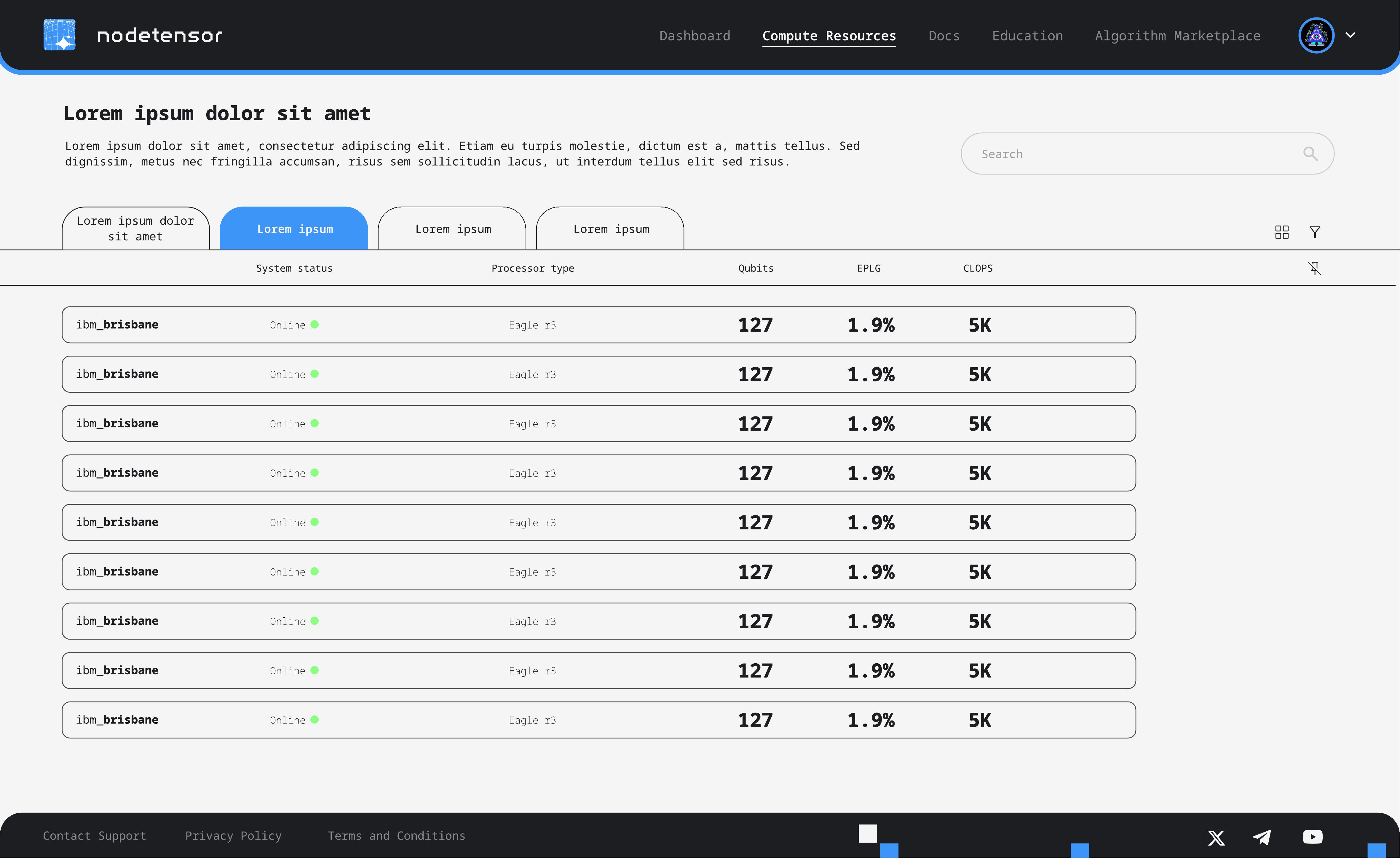
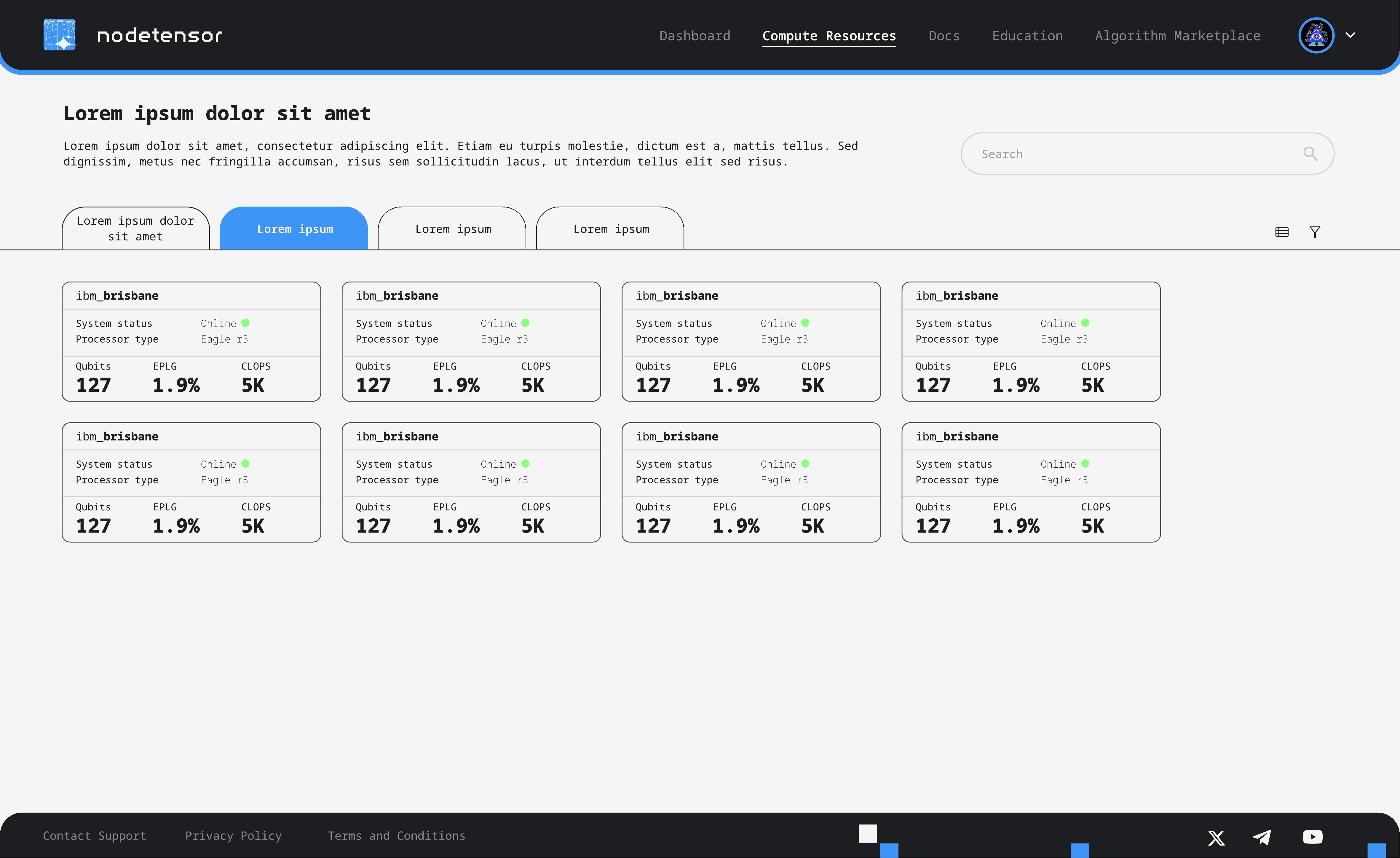
Compute resources in table view — sortable list of quantum processors with status, type, qubits, EPLG, and CLOPS columns Compute resources in card view — grid of quantum processor cards with the same metrics in a scannable layout

Compute resources

The compute resources page lets users browse available quantum processors in two views: a dense table for comparison and a card grid for scanning. Both surface the same data — system status, processor type, qubits, error rates, and operations speed — but serve different browsing behaviours. The toggle between views is a single click.

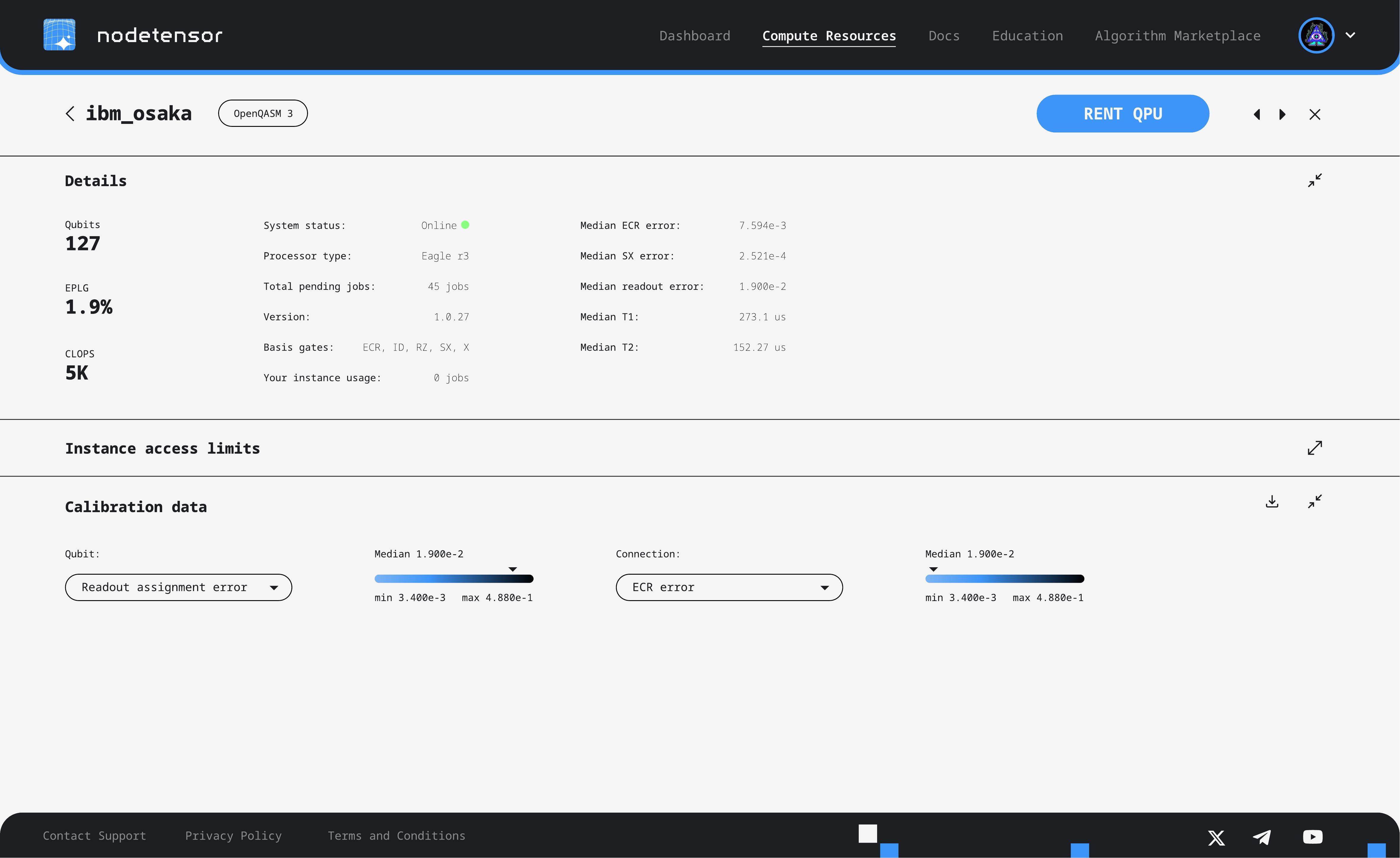
Clicking into an individual processor reveals a detailed view with calibration data, access limits, and real-time error metrics. A prominent "Rent QPU" button sits in the top-right, keeping the commercial action visible without interrupting the technical exploration.

IBM Osaka processor detail page showing qubits, EPLG, CLOPS, system details, calibration data with error rate visualisations, and Rent QPU button

Pricing

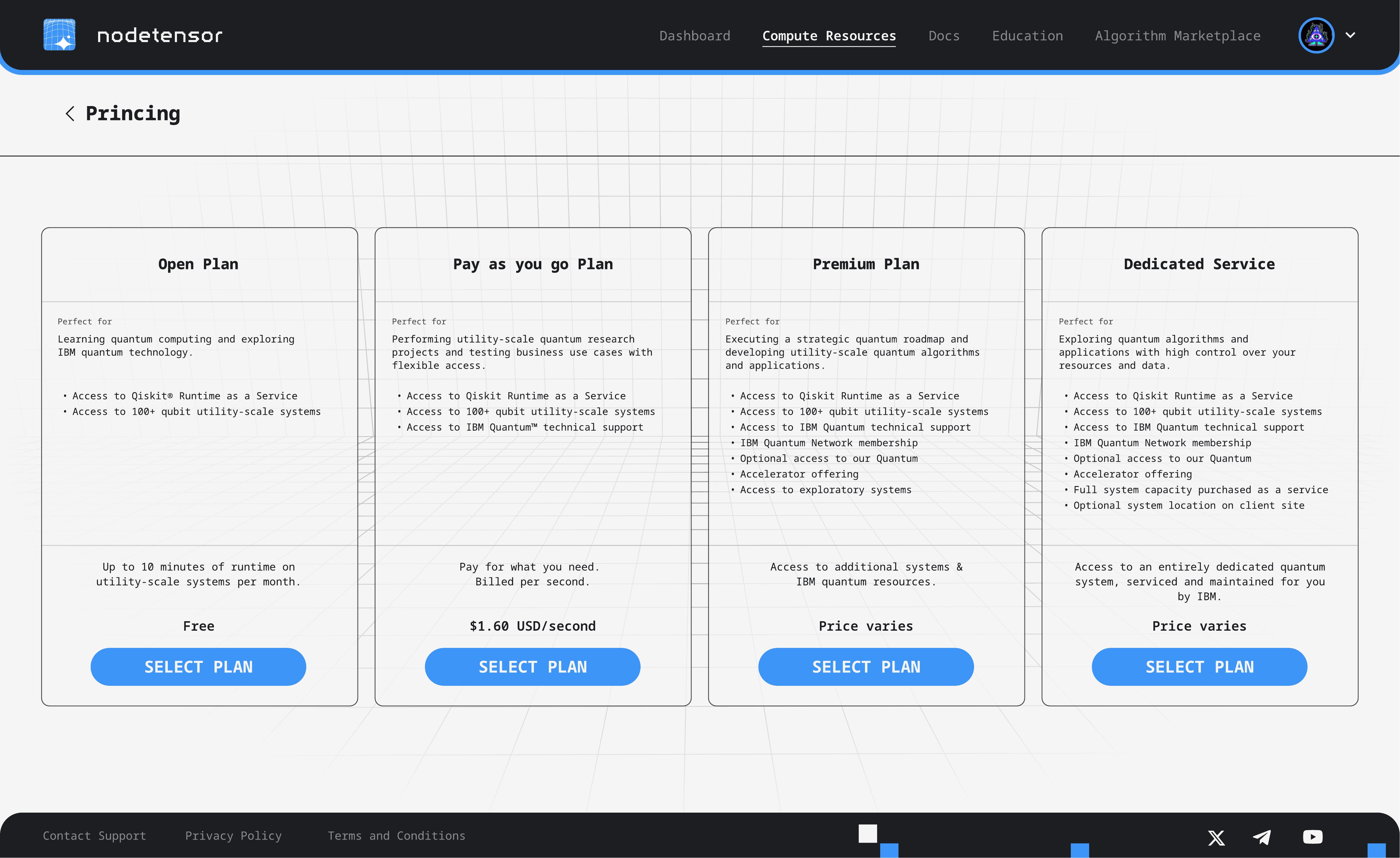
The pricing page presents four tiers — from a free Open Plan for learning, through Pay-as-you-go and Premium, to a Dedicated Service with full system capacity. Each tier is structured consistently: who it's for, what's included, and the cost model. The layout uses equal-width cards so users can scan across and compare at a glance.

NodeTensor pricing page with four tiers — Open Plan (free), Pay as you go ($1.60/second), Premium, and Dedicated Service

What was delivered

  • 15 screens across the full application — authentication, dashboard, resource browsing, detail views, pricing, and profile
  • Dual-theme design system (light and dark) for login and onboarding flows
  • Distinctive pixel-block visual motif tying the brand to the quantum computing domain
  • Table and card view patterns for data-heavy resource browsing
  • Adaptive onboarding that segments users by expertise level

Good design makes complex
products feel simple.

Whether it's a technical platform, a SaaS dashboard, or something entirely new — we'd love to hear about it.

Get in touch